
Home / Marketplace / Mobile / Warehouse App for Cargopro | Courier and Delivery Management System
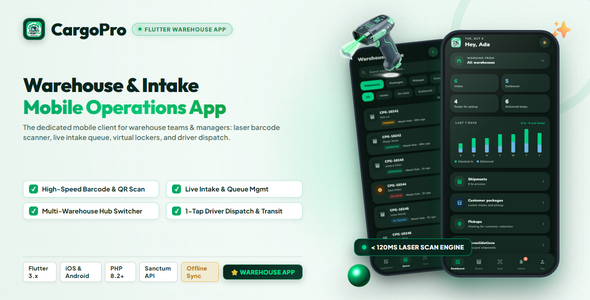
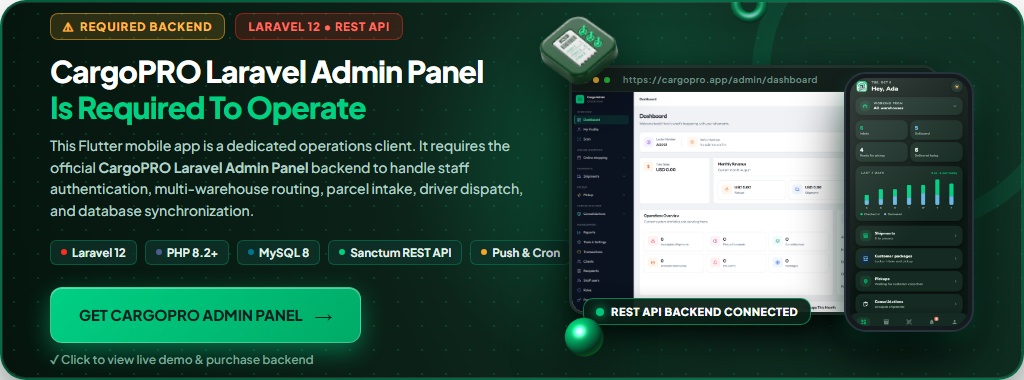
IMPORTANT: This warehouse app is an add-on that requires the CargoPRO Admin Panel (Sold Separately), version 1.1.0 or later. CargoPRO Warehouse is a companion mobile app for the CargoPRO courier & logistics management system, not a standalone product — it connects to your own CargoPRO admin panel, available in the main CargoPRO listing.
 |
 |
 |
CargoPRO Warehouse – Flutter Warehouse Management App with Barcode Scanner for Courier, Cargo & Logistics | Android & iOS
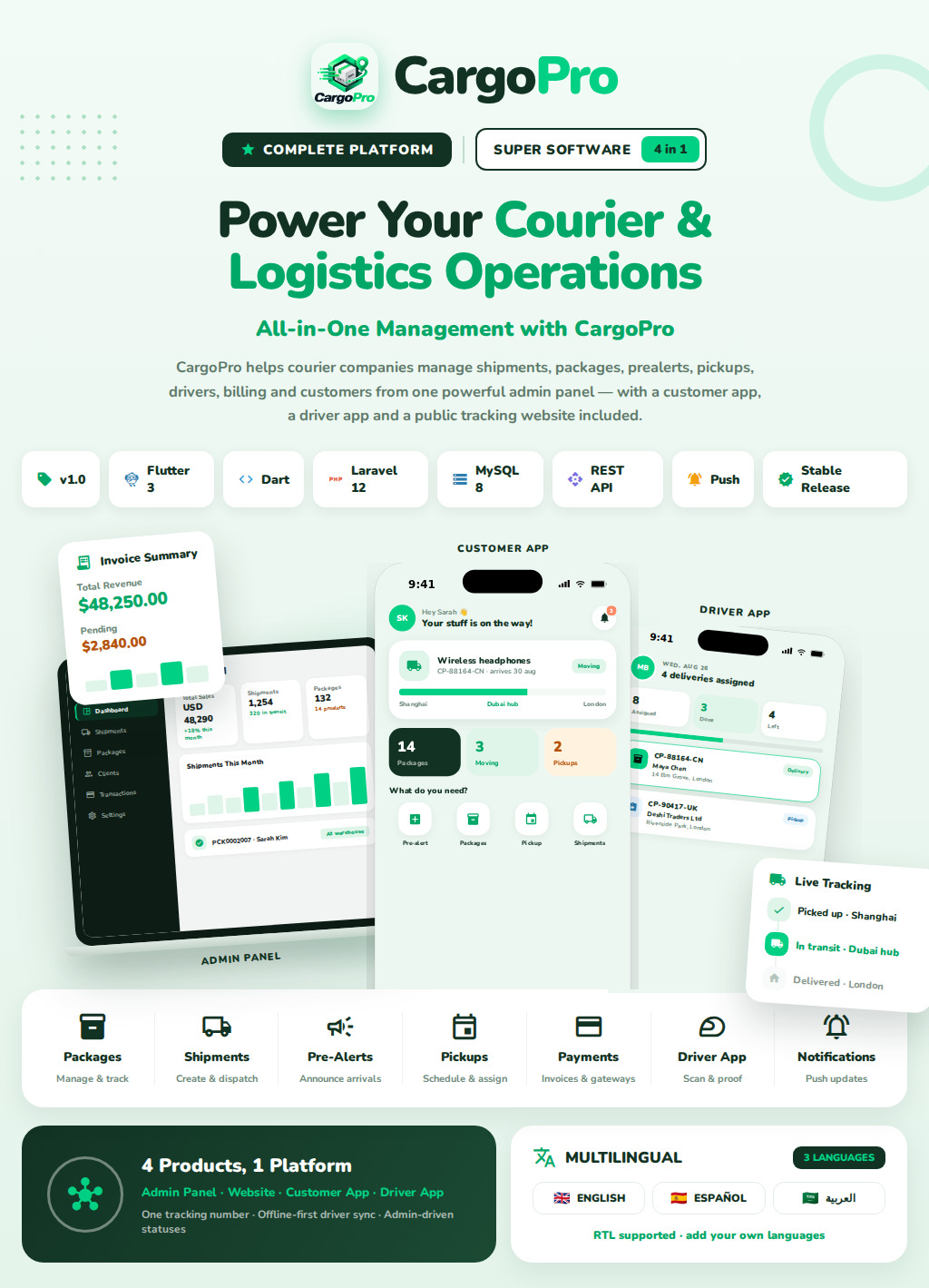
Scan parcels, receive packages, check shipments in, dispatch to drivers and collect payments — a mobile warehouse management app built with Flutter for courier, cargo, parcel-forwarding and logistics companies.
Made for warehouse staff, counter clerks and branch managers running a CargoPRO courier management system — one app for package receiving, barcode scanning, dispatch and proof of delivery on Android and iOS.
A Mobile Warehouse Management App for Courier & Logistics Teams
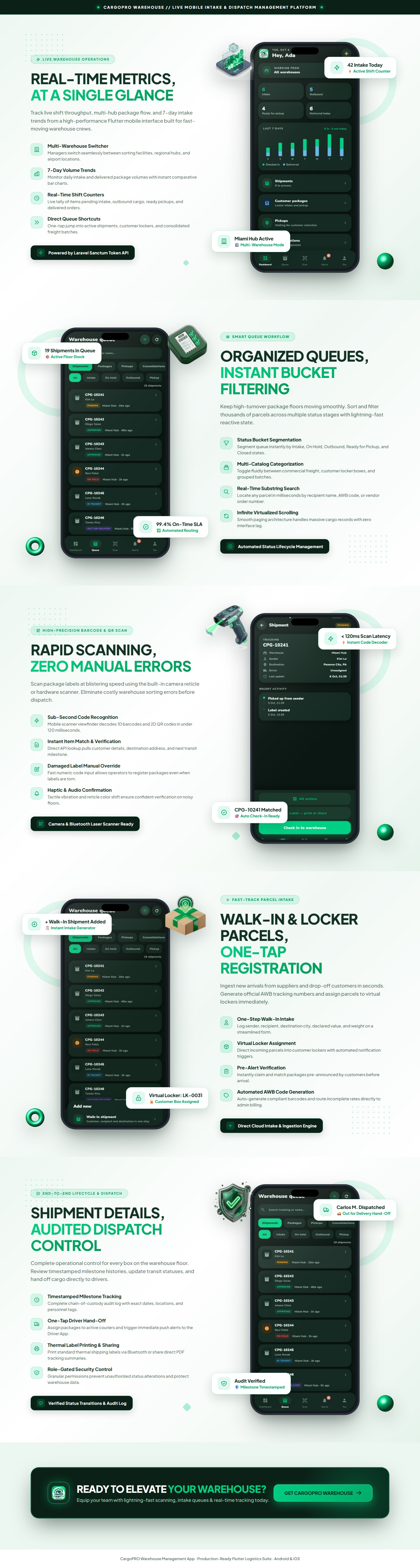
CargoPRO Warehouse is the warehouse app of the CargoPRO logistics suite. It connects to your CargoPRO Laravel admin panel through its secure REST API, so every action on the warehouse floor — receiving a walk-in shipment, checking a parcel into the warehouse, scanning a barcode or QR label at the dock, dispatching a shipment to a driver, recording a cash-on-delivery payment — updates the same shipment tracking system your customers and drivers use, in real time.
Two staff roles share one app. Warehouse staff are locked to their assigned warehouse and work a focused queue of shipments, customer packages, pickups, consolidations and pre-alerts. Managers switch between warehouses (or view all of them), follow company-wide stats and open payments and the customer directory. Admins, drivers and customers are pointed to the right CargoPRO tool at login.
What You Get
CargoPRO Warehouse ships as a complete, ready-to-build Flutter app with full source code:
- Full Flutter source code — one Dart codebase for Android & iOS, Material 3 design and the same brand identity as the CargoPRO customer app and driver app
- Two staff roles in one warehouse app — Warehouse staff (pinned to their assigned warehouse) and Managers (multi-warehouse switcher, company-wide dashboard)
- Deep CargoPRO integration — uses the CargoPRO admin panel's token-based REST API: the same shipment statuses, server-driven status colors, roles & permissions and notifications
The whole interface follows CargoPRO roles & permissions: buttons, screens and warehouse actions appear only when the signed-in user's role allows them — and when something is locked, the app names the exact permission an admin can enable in the admin panel.



Live Demo
| Admin Panel | https://cargopro.devtrixx.com/login — admin@devtrixx.com / 12345678 |
| Customer Website | https://cargopro.devtrixx.com — customer@devtrixx.com / 12345678 |
| warehouse App | manager@devtrixx.com / 12345678 |
| warehouse user | warehouse@devtrixx.com / 12345678 |
CargoPRO Warehouse — Warehouse Management Features
Every screen is designed for a working warehouse and courier counter: one-handed use, scanner-first package receiving, an offline queue for weak Wi-Fi at the dock, and clear role-based access for every staff member.
At A Glance
- Two roles, one app — Managers and Warehouse staff get their own experience; admins, drivers and customers are redirected to the right CargoPRO app at login
- 5 warehouse queues — shipments, customer packages, pickups, consolidations and pre-alerts, all searchable
- Barcode & QR code scanner — one scan finds the shipment or parcel by AWB, order number, purchase tracking number or internal ID
- Offline scanning — scans captured without signal are queued and synced automatically when the connection returns
- Role-based permissions — mirrors the admin panel's roles & permissions, with locked actions clearly labeled
- Push notifications + in-app inbox — Firebase push alerts with unread badges, mark-read and mark-all-read
- Light, dark and system themes, remembered per device
- Shipment status colors from your admin panel — restyle a status there and the app follows
Package Receiving & Walk-In Intake
- New walk-in shipment — pick the customer with live type-ahead search, enter recipient, destination, weight (kg), declared value and contents; the server generates the tracking number
- New locker package — receive an online-shopping or parcel-forwarding package with weight, purchase price and contents; the locker tracking number is assigned automatically
- New pre-alert — register an incoming purchase with tracking number, store and courier on behalf of a customer
- Package condition photos — attach a camera photo to any intake, resized and uploaded to the order
Barcode Scanning & Check-In
- Full-screen barcode scanner with a corner-bracket reticle, flashlight (torch) toggle and duplicate-scan cooldown — built for the warehouse floor
- Manual code entry for damaged or unreadable shipping labels
- Pre-alert matching — scanning a label that matches a customer's pre-alert offers a one-tap “Register locker package” conversion
- One-tap warehouse check-in assigns the parcel to your warehouse, approves it and writes a tracking event the customer can see
- Dispatch & driver hand-off — check shipments out as in transit or out for delivery and hand them to a driver, who is notified
- Offline scan outbox — queued scans survive app restarts and sync on reconnect; the dashboard shows what is still waiting
Warehouse Queue
- Fast search across tracking numbers and customer names
- Shipment status filters — All, Intake, On hold, Outbound, Pickup and Closed
- Bulk warehouse moves — long-press to multi-select packages and move them to another warehouse in one action
- Infinite scroll with skeleton loaders, pull-to-refresh and clear empty states
- Status chips in your admin colors, locker numbers, warehouse names and time-ago on every row
Shipment Details, Proof of Delivery & Payments
- Complete shipment view — tracking number, status, warehouse, sender, destination, driver, customer, locker, payment summary and a tracking-history timeline
- Update shipment status with hold reasons (missing invoice / other + note), required cancel reasons and comments written to the tracking history
- Proof of delivery — receiver name, camera photo, cash-on-delivery (COD) amount and payment method
- Record & verify payments — collect at the counter with payment method and reference; verification checks that payments cover the order total
- Self-pickup booking with a date picker and ready-made time windows, or reject a pickup with a reason
- Shipping label & invoice printing — fetch printable labels and invoices and share them to a printer, PDF or email
For Managers
- “Working from” warehouse switcher — jump between warehouses or view all of them; warehouse staff see only their own
- Live warehouse dashboard — Intake, Outbound, Ready for pickup and Delivered today tiles, plus a 7-day received vs delivered trend chart
- Quick actions into shipments, packages, pickups, consolidations, the customer directory and payment activity
- Exceptions banner flags shipments on hold with open issues so nothing is forgotten
- Customer directory with emails and locker numbers, and a cashier-style feed of recent payments
Technical
- Flutter / Dart with Material 3, Provider and Dio — one codebase for Android & iOS
- Connects to the CargoPRO Laravel REST API (Sanctum bearer tokens stored in the platform keystore); set your own API base URL per build
- Barcode formats: QR code, Code 128, Code 39, Code 93 and EAN-13
- Firebase Cloud Messaging is optional — the app runs normally without a Firebase config
- Session restore — staff land back on the dashboard after a restart; portrait layout for one-handed scanning
Why Choose CargoPRO Warehouse
- Built for warehouse operations: scanner-first package receiving, counter intake and offline scanning — designed around how courier and cargo warehouses actually work
- Always in sync: the same shipment statuses, colors, permissions and notifications as your CargoPRO admin panel — change it there and every device follows
- Secure by design: token-based authentication, warehouse-scoped data enforced on the server, and a UI that mirrors your roles & permissions
- No dead zones: the offline scan outbox keeps the dock moving even when the Wi-Fi drops
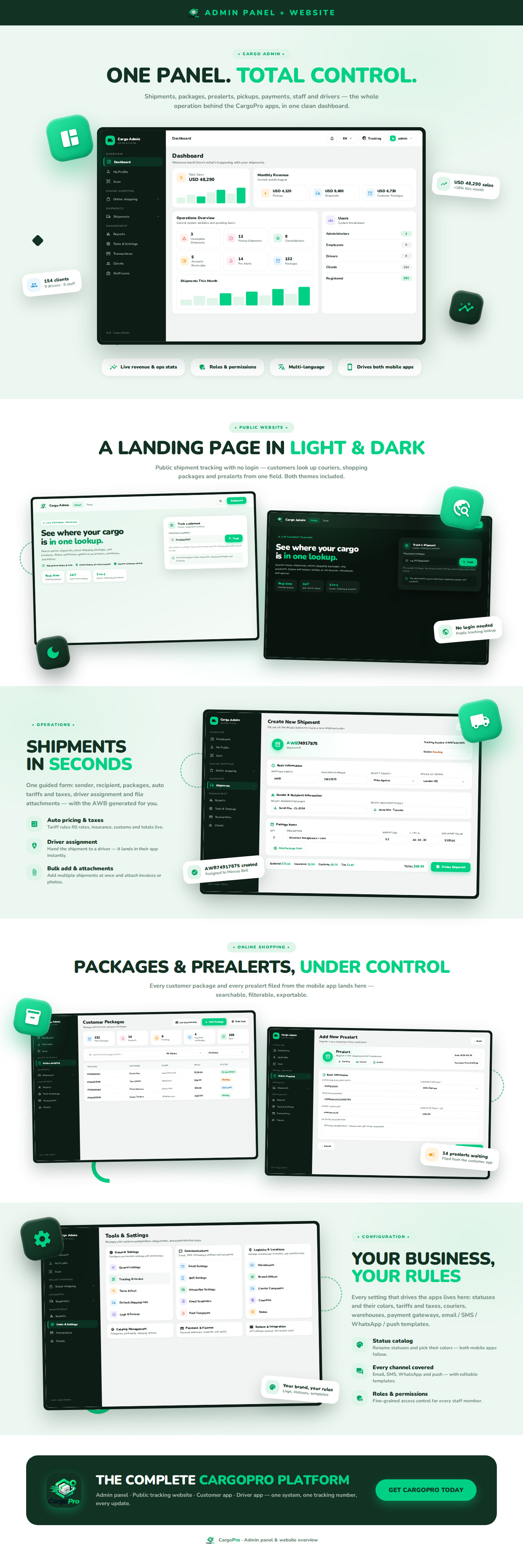
- Part of a complete logistics suite: works with the CargoPRO admin panel, customer website, customer app and driver app for end-to-end courier and shipment management
Third-Party Services Notice
CargoPRO Warehouse optionally integrates with third-party services — Firebase (push notifications) and the print/email/share services on each device. These services are not included in the purchase price: you must register your own accounts and keys, and each provider bills its own fees directly to you. The app also requires the CargoPRO Laravel admin panel (version 1.1.0 or later, with its REST API) to connect to live data.
Firebase is optional — without it the app runs normally and push notifications simply stay off. The providers' pricing and terms may change at any time and are outside our control.
🤖 AI-Assistance Disclosure
Disclosure: in line with Envato's AI-assisted content policy, parts of this item were created with the help of AI tools. The graphics and marketing assets and the documentation included with CargoPro warehouse were generated or assisted by AI, then reviewed, corrected, and finalized by our team before release. If you have any questions about how this item was produced, contact us via our support page before purchasing.
Changelog
Version 1.0.0 — Initial Release